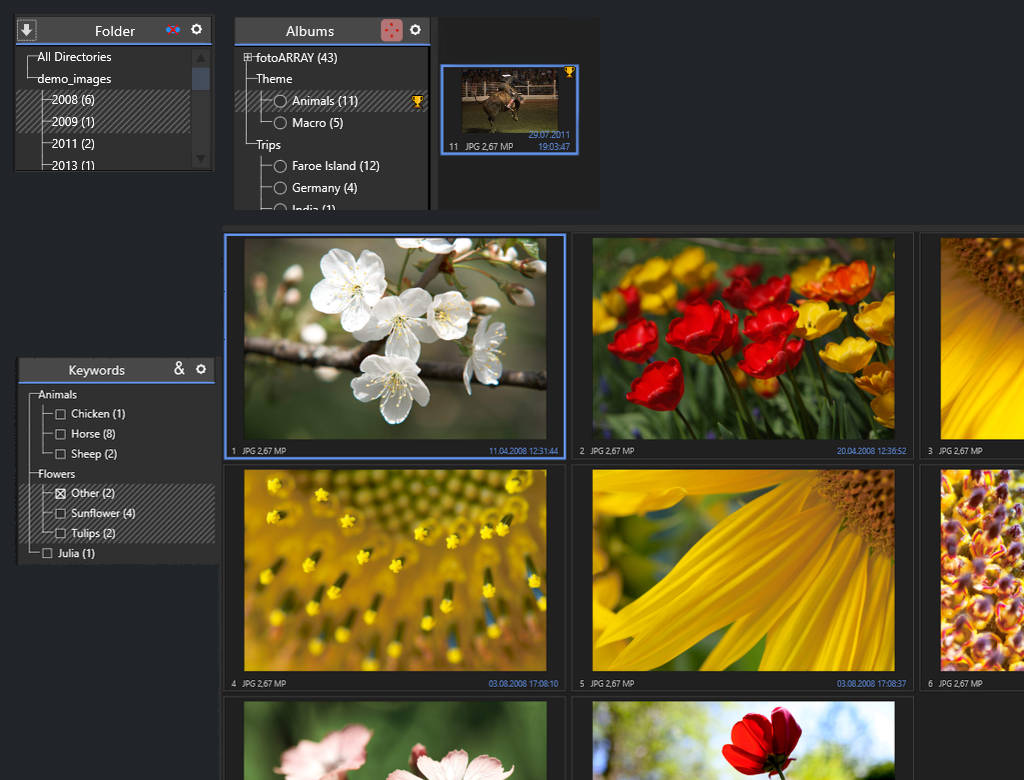
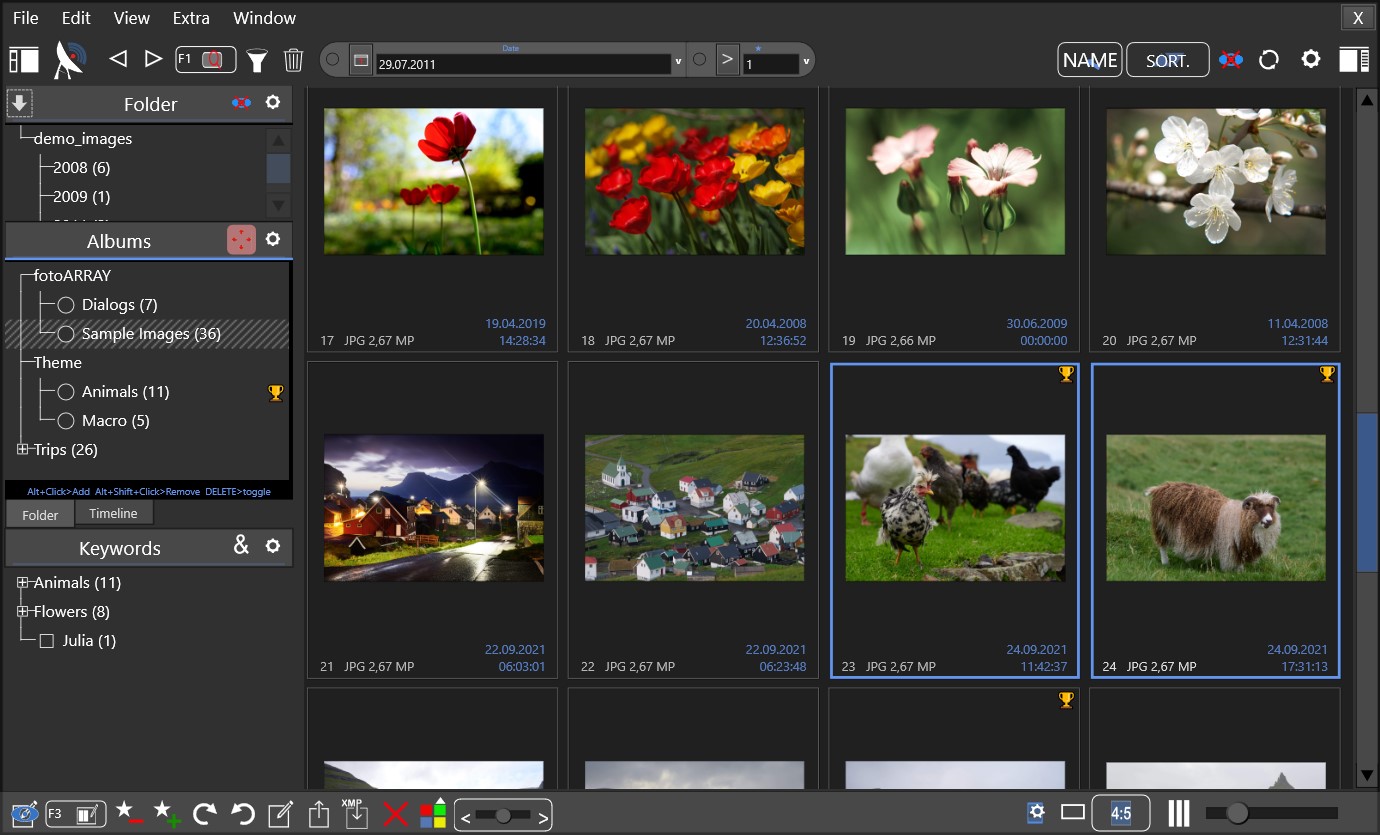
To organize your portfolio of digital images, you can either create a folder structure to store all your digital image files, or you can utilize image management software. Such photo organizing software typically utilizes a database to store information about each image. This allows for quick image searches without the need to read the original image files. This can dramatically improve search speed and efficiency.
Do you have any suggestions or requirements for fotoARRAY? Kindly inform us using our voting system.
Image management with fotoARRAY
1 - Use the image file browser to view images in folders
fotoARRAY offers a convenient and efficient solution to manage your digital image assets on Windows. The program has an image-file browser that lets you view any image stored in your computer without importing them into a database. To explore one or more folder (and optionally sub folders), all you need to do is click on the folder items to select them. An efficient way to browse through your files is by opening multiple folders at once, which will all be shown together in a single, organized view.
2 - Use fotoARRAY as catalog based photo organizer software
fotoARRAY maintains a database with all the important image metadata where it also stores the thumbnails.
Importing images into this database makes it easy to find pictures, view images, select certain photos and use them in your design projects. Instead of searching through individual files, you can browse through your entire collection and choose the images you need. This also works, if the original image files are on a drive, which is not connected to the computer.
Questions? Don't hesitate to use our live chat during business hours!
What is special about fotoARRAY?
fotoARRAY is a photo organizer, that focuses on the images rather than the metadata. It has a simple and fast interface that allows easy access to any picture in the collection. It also supports copying and syncing with other programs for editing and developing images. It does not want to lock you into its own system, but give you the freedom to use the perfect tool for each task you need to do with your photos.
It implements a powerful filter tool: If you know the date a photo was taken on, you can type in the data into the filter box. You can also type in multiple dates or only parts of dates, such as the 1.7 of every year.
fotoARRAY was designed to not only manage digital images but also present photos in an engaging way. So from the first line of code, it was designed to provide intuitive access to the stored images. To change the selection of images, one click is enough most of the time. If you want to add or remove images to the view, press CTRL and click on items in the albums, keywords or timeline panel.
Albums
While a photo can be just in one directory on the harddrive, it can be in multiple albums at the same time. This makes it easy to use the same photo in an album of a vacation and of a special event. With fotoARRAY, you can identify which collection an image belongs to by displaying a specific color or symbol alongside the image in the grid. This unique feature makes it easier to organize and manage your photos.
Keywords
Like albums, keywords can be freely assigned to an image (with optional symbols and/or color display). They make it easy to select a subset of images from the main set, preselected by an album. They are best suited to mark images from different subjects.
Color-labels
Color labels in combination with filters are useful to create sub collections of images with just a click.
How you can find relevant images
With the time linepanel
The timeline lists a label for all years, months and days a image in the selection was taken. You can click on one or more labels to only display the images which were taken on the respective dates.
Using the filter dialog
With the filter dialog, you can easily create advanced filters to evaluate different types of metadata in your image collection. This includes file names, rating levels, color labels, and even the camera used to capture the image. This functionality allows you to easily sort and organize your images based on specific criteria so you can quickly find the photos you need. You can filter photos by date with ease. Simply input a range of dates you'd like to filter by, and the system will display all photos taken during that time. This feature is particularly useful for organizing your photo collection and quickly finding photos from a specific date. It is also possible to specify a part of a date, such as every 1.7. each year.
Using the filter toolbar
The filter toolbar can be customized by adding some of the most frequently used filters for quick access. This is a great feature that can save you time when working on your project. Simply choose the filters and add them to your toolbar for easy access. With this option, you won't need to go through the filter dialog every time you need to use a filter, making your workflow much smoother.
By dragging and dropping images on the grid
If you drag and drop images from a particular folder into the photo grid, the photos that have the same name as the images you have chosen will be selected. With this feature, you can effortlessly assign a color-label or rating to images that have been previously chosen by other programs.
How you can work with your images with fotoARRAY
Unlike "pure" image management software, fotoARRAY includes a variety of methods and ideas for exchanging image data with other programs that perform specific tasks, such as RAW development. We want to give you the freedom to use the program you prefer for developing the images, or to choose between different programs depending on the work you need to do. We also listen to the needs and ideas of our customer base to implement further tasks.
Start a program with the image(s) from a submenu or button
In addition to opening an external program with an image file, fotoARRAY can also copy the image and parameter files to a different directory before launching the specialized program.
Drag & drop on other program
You can not only drag&drop images from the display grid on a different program, you can also specify which data is inserted there. This can be the thumbnail image, the original image or a version of your image from a subdirectory or a linked directory.
Copy and Paste in other program
Also with this feature you can select which data should be copied. If you don't have the original images because the hard drive with them is not with you, you can still use the thumbnail image.
How you can images be displayed in fotoARRAY
Display photos in a grid, the "Array" view
The grid view presents various display modes, among which the "row" mode stands out for its ability to automatically adjust the image size to optimize space utilization. This feature allows users to enjoy a visually appealing and streamlined view without worrying about manual resizing.
Display photos one by one, zoomed mode
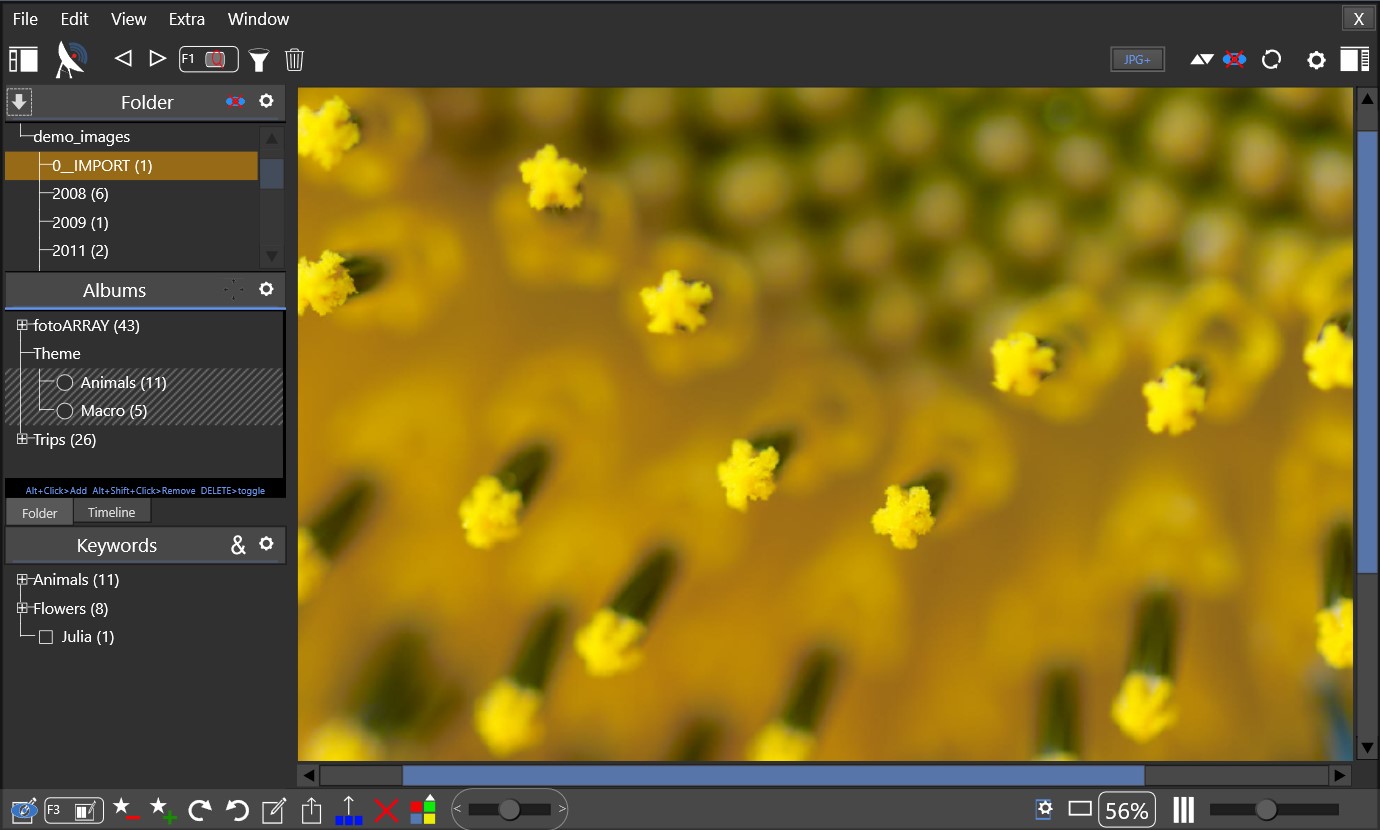
fotoARRAY can also display the images one by one. You can use a hotkey to quickly switch between grid-mode and the single image display. Just type Ctrl+F1 to temporarily hide the side panels.
Instant slide show (F1)
Single image view (space)
Compare and modify view (F3)
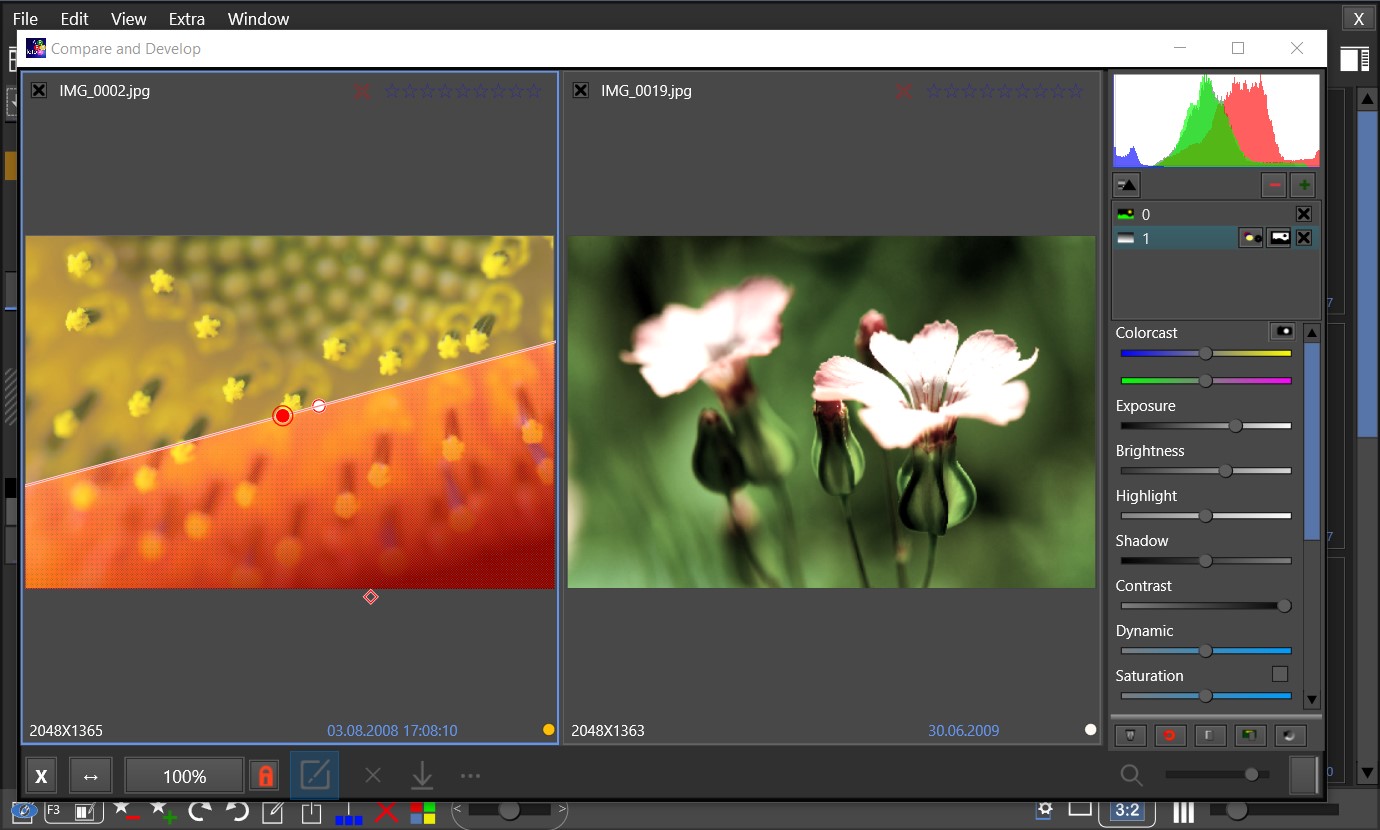
fotoARRAY includes a module that can adjust a photo within certain limits. For this purpose, a color correction, an exposure setting, contrast and saturation as well as a tone curve can be adjusted for the image afterwards. Layers containing either a straight or radial gradient can be used to apply the image changes only to certain areas of the image. Through this simple system, photos can often be enhanced. In no case is the original image altered. Only a recipe is applied, which can be changed at any time. The image processing is part of the comparison view which can be opened using the function key 3 [F3].
COMPARE VIEW
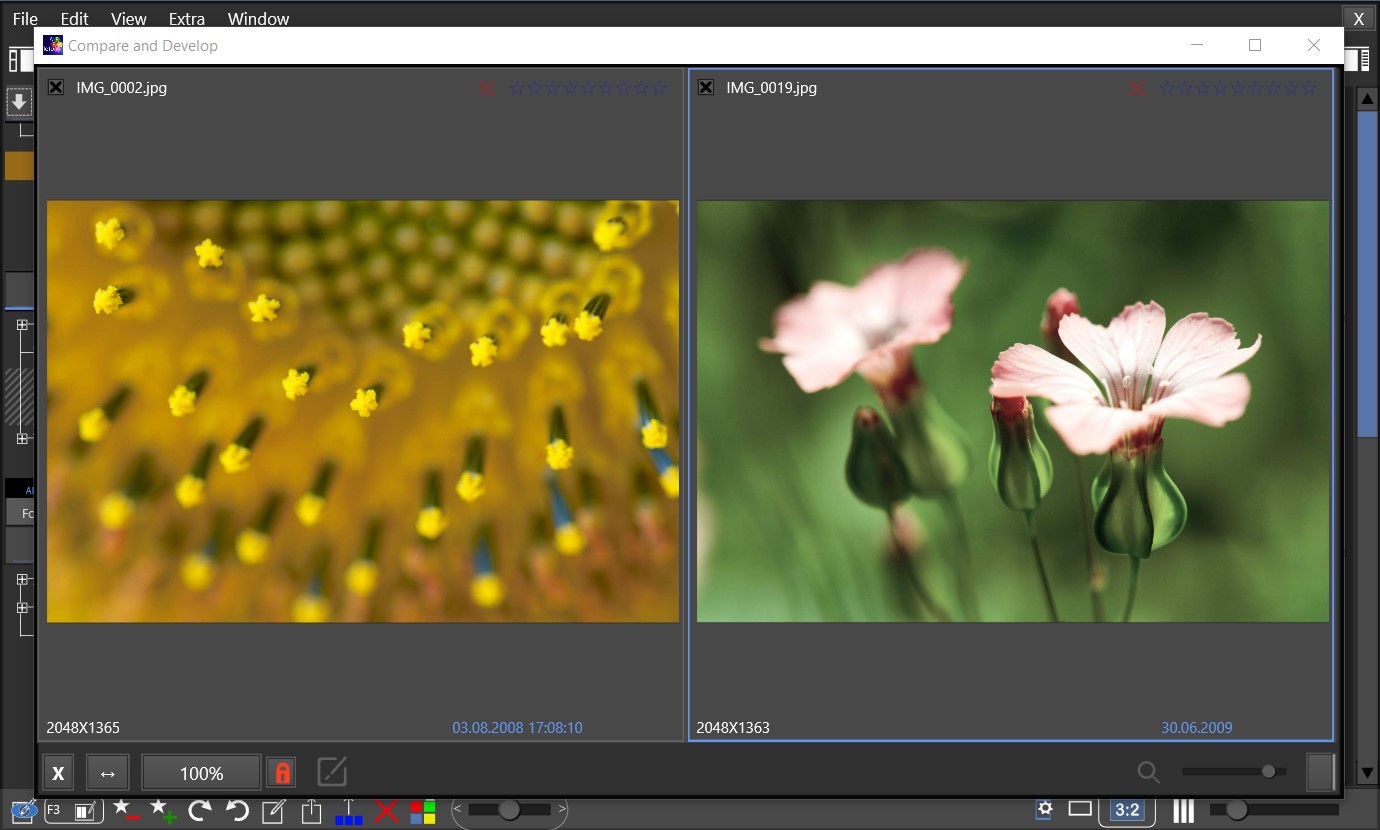
The compare view let you view the selected images side by side and you to evaluate the quality. You can also change some image parameter, such as brightness and add gradients without changing the underlying image data.
To export the images as they appear on the screen, you have the option to save them in either JPEG or PDF format. This is a handy feature which allows you to share the layout with others while maintaining its original appearance.
VARIOUS LAYOUTS FOR GRID AND EXPORT TO PDF
You can select different crop modes, layout modes and column count. Export the view in the grid as JPEG files or as a PDF which includes the original, uncropped image data for further processing. You can create photo book with hundred of images in minutes.
Create photo books or collages: Since it is possible to export the grid to JPEG files or to a PDF, you can create a photo book with thousand images within a few minutes. Unlike many programs fotoARRAY can optionally embed the unchanged original JPEG data into the PDF and so enable specialized programs to later change the crop of the image in the PDF. Download a sample PDF to check this out for yourself: Square Layout, Row Layout.
Use fotoARRAY to transfer images and other data to your phone
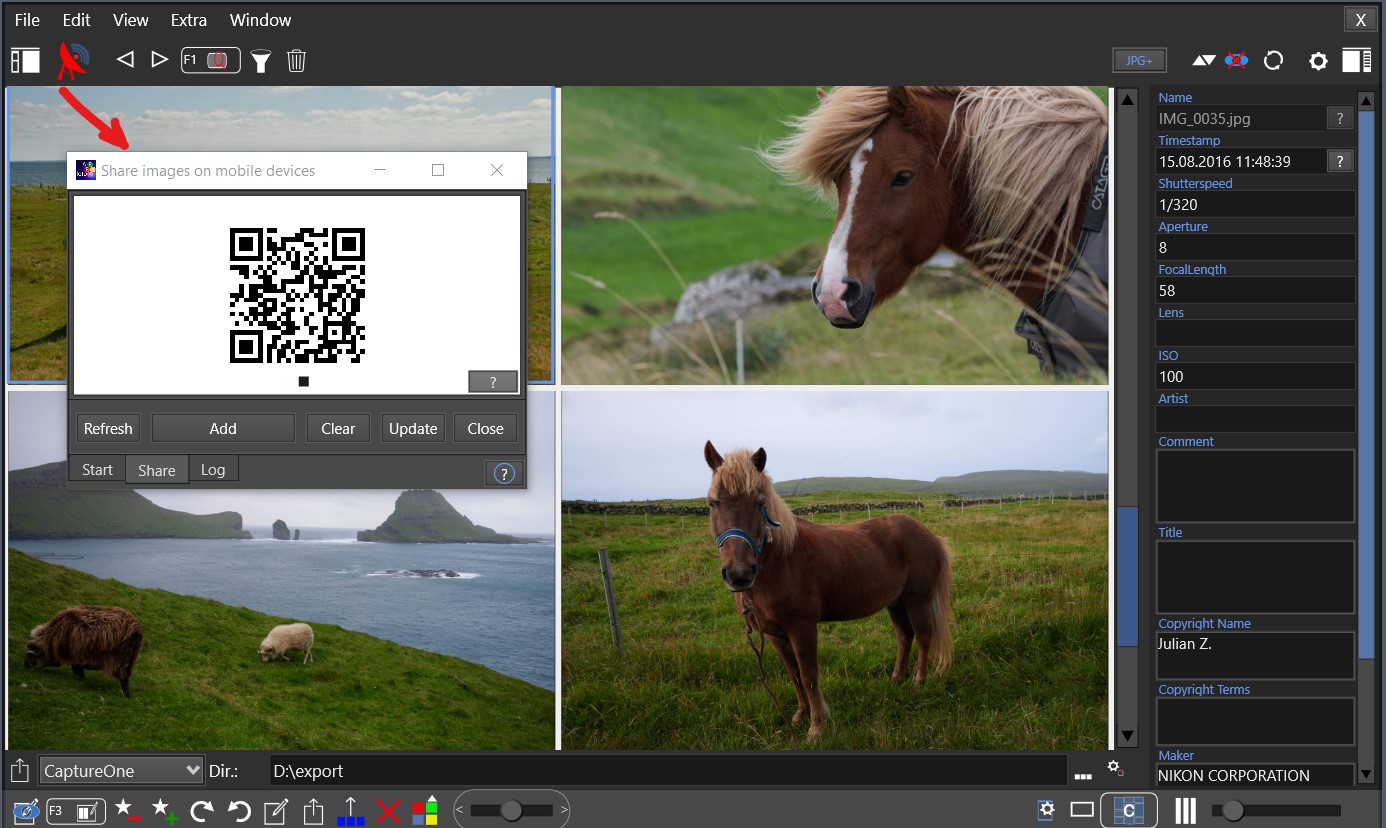
With "Broadcast" fotoARRAY includes a tool to share images and other data with mobile deviced. You can download images to your smartphone and send files to your desktop computer. You don't need to download an app or create an account to use this feature. Additionally, there's no need to rely on cloud services to share images. As long as your visitors are connected to your local WIFI network, they can access this function. It's a hassle-free way to share images with your guests.
You can use fotoARRAY also create a HTML image gallery which you can upload to a web presence. To do so fotoARRAY uses a powerful template based system, which allows it to modify the layout of the web pages. (Some of this features required the paid license of fotoARRAY)
TRANSFER IMAGES TO MOBILE DEVICES
With "Broadcast" you can download images from your archive on your phone or upload from there if logged into the same network. No installation of proprietary APP is required.
fotoARRAY can display and manage images from external directories instead of the original image files in several ways. This makes it easy to use different versions of the same image for different tasks, such as creating a video or photo book.
Most versatile is the possibility to copy a set of files into a special project directory where you can edit the files. If required you can link the edited version in this directory to an album so they are displayed and/or used within fotoARRAY.
Hasslefree installation
fotoARRAY works without subscription, even without installation. Just launch the program from its folder and open the catalog. You do not need any cloud storage or cloud service to manage your digital photos. This also works without license information as a "Free Edition" - this makes fotoARRAY the perfect tool for managing an image portfolio legacy.
Screenshots
Compare View (F3) Edit mode to change contrast, exposure.
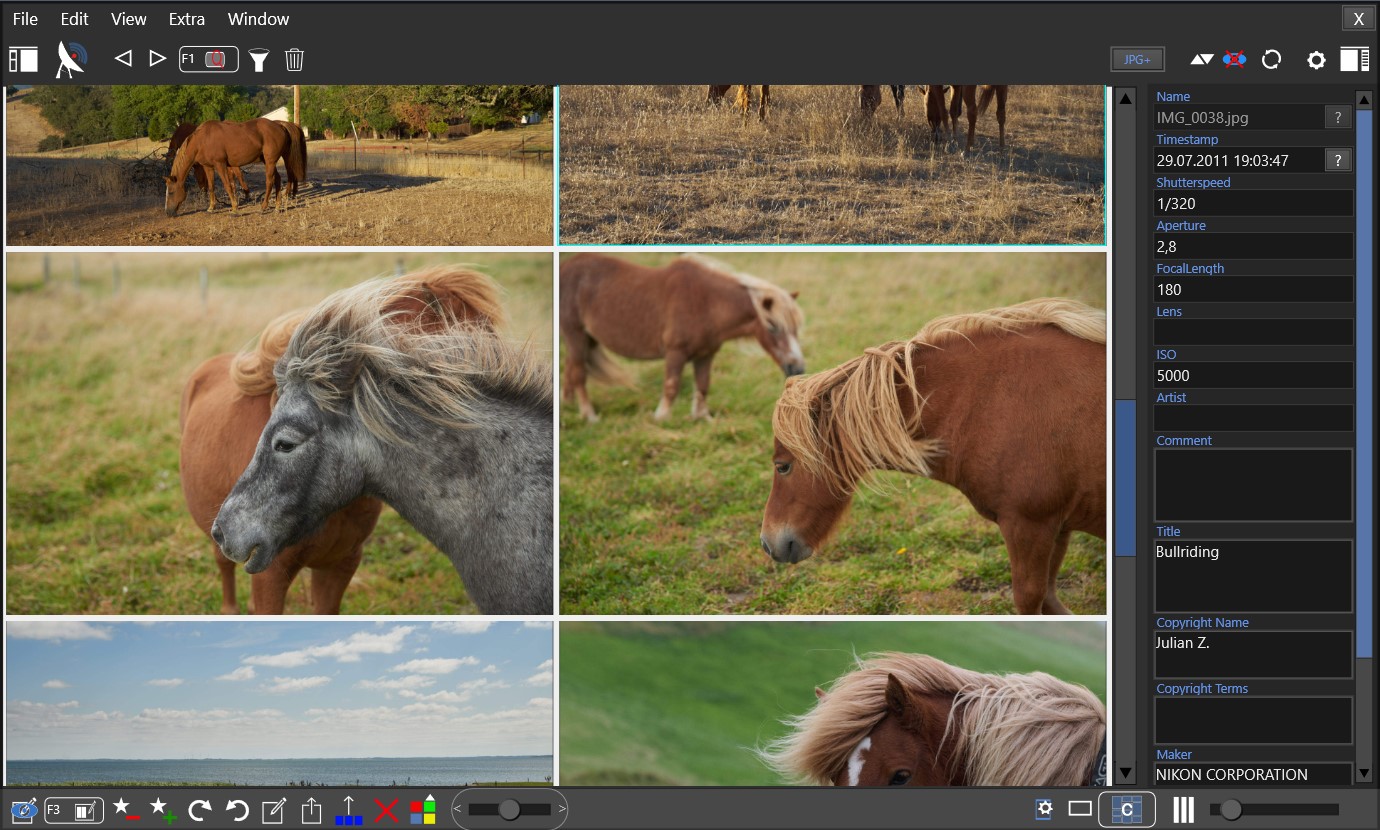
Show properties of each image in right side bar
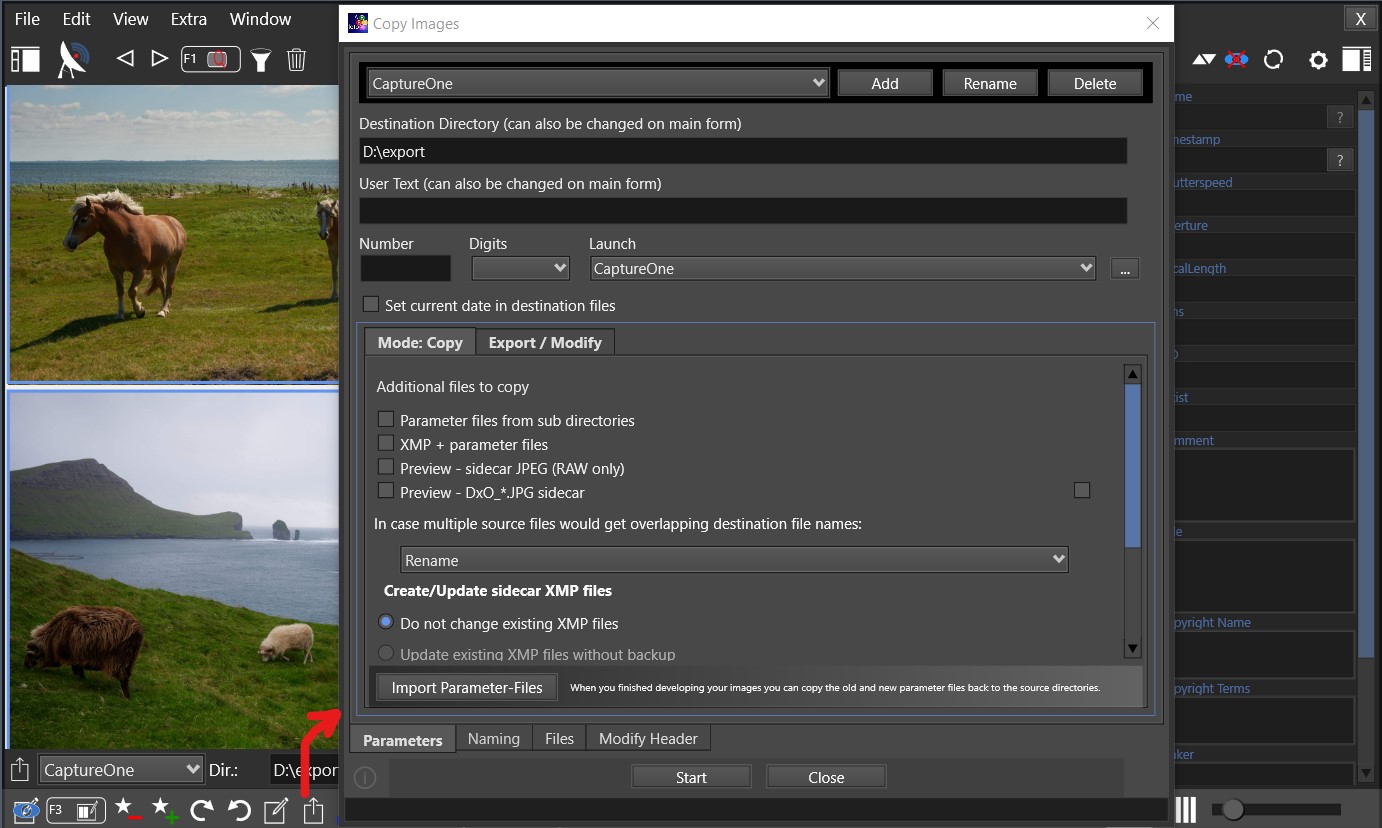
Export dialog. Copy selected images to a special directory and also copy back changed parameter files.
Start fotoARRAY Broadcast to share images from and to mobile devices
your images by properties such as exposure, ISO and date. There are also meta-properties available, i.e image is JPEG or image is offline.
If required some important fields can be written to sidecar XMP files or read from there.
KEYWORDS
fotoARRAY supports hierachical keywords in a perfect way. They are organized in a tree view to make it easy to preselect images by simply select one or more branches. Add and remove keywords by clicking on a checkbox in the tree view. Assign a colors and/or Symbols, i.e.💙✨ to any keyword to be displayed with the image.
ALBUMS
Albums are perfect to organize images. Unlike physical folder an image can be included in several albums at the same time. With user-order being enabled, you can change the order of the images in the album. Assign an external directory to see the images from your project folder.
Assign a colors and/or Symbols, i.e.🎪🎁 to any album to be displayed with the image.
Quickly apply star rating and selection markers using the keyboard.
If GPS coordinates have been imported from the image ALT+F3 will open the web browser with them.
Share Images
Use fotoARRAY Broadcast to use your images located in fotoARRAY on your mobile device or to send images from there to your desctop computer. Export HTML image galleries.
EXPORT
Copy image files and sidecars to directories. Work with exported images and copy back updated sidecar files. This makes fotoARRAY the perfect tool to interact with other programs.
VIEW
View the images in single or grid mode or use the instant slideshow. Use the fast forward mode to quickly scroll throug a collection. Display thumbnails while master images are not available.
Directory Bowser
View your images in any directories completely independent of the fotoARRAY database. Subdirectories can be natlps included in the view. "flat view
The browser is started by pressing F4. It is also possible to start fotoARRAY only with this image overview by appropriate command line parameters.
EXPORT PDF
Create a photo book quickly: Export the images as they are displayed in the grid (using different order- and layout modes) to a PDF. Unlike with other programs fotoARRAY can embed the original, uncropped JPEG data so you can use a publishing application to later edit and adjust the created PDF file.
Internal Slideshow
The slideshow module supports full-screen and auto zoom to the wide screen format 16:9. It can optionally display the images from an external project directory, so can enjoy high quality resolution.
You can use copy&paste to apply a recipe to a different image.
COMPARE
Use the image comparison view with synchronized view windows to find out the best images.
The comparison view allows the refinement of a selection of up to 16 images.
TIMELINE
Locate images using the time line or the powerful text based date filter, i.e. to find all images taken on the 5th January.
You can first select from albums or keywords and then group by date.
LAUNCH
Launch external editors and RAW developing applications.
Scripting: Pass images back to fotoARRAY to update the internal previews (requires license)
FREE EDITION
We want to offer a tool to manage the image legacy, therefor the basis edition of fotoARRAY is free to use and not time limited. It only displays a banner and has restrictions in the area of power-user and convenient functions.
CUSTOMIZE
Customize the scaling of the user interface to match your requirements. Choose the dark or the light interface theme.
ECT.
Export list of files or a whole new catalog, use the file copy and file renaming tool and import data and images back into the catalog.
 Questions?